Analyze articles and retail performance
Analyze articles and retail performance
Business Goal
Use Price ReportsPrice Reports to identify sales and margin patterns, monitor market positioning, and investigate article-level promotional and markdown activity before adjusting pricing decisions.
Prerequisites
- Open Reports from the Regular section of the left navigation.
- Ensure you have permission to view category and product-level reports.
- Select the Top level for an assortment-wide review or a relevant category for focused analysis.
- Confirm that sales, cost, and Reference price data are available for the period being reviewed.
Step-by-Step Instructions
Step 1: Generate governance reports
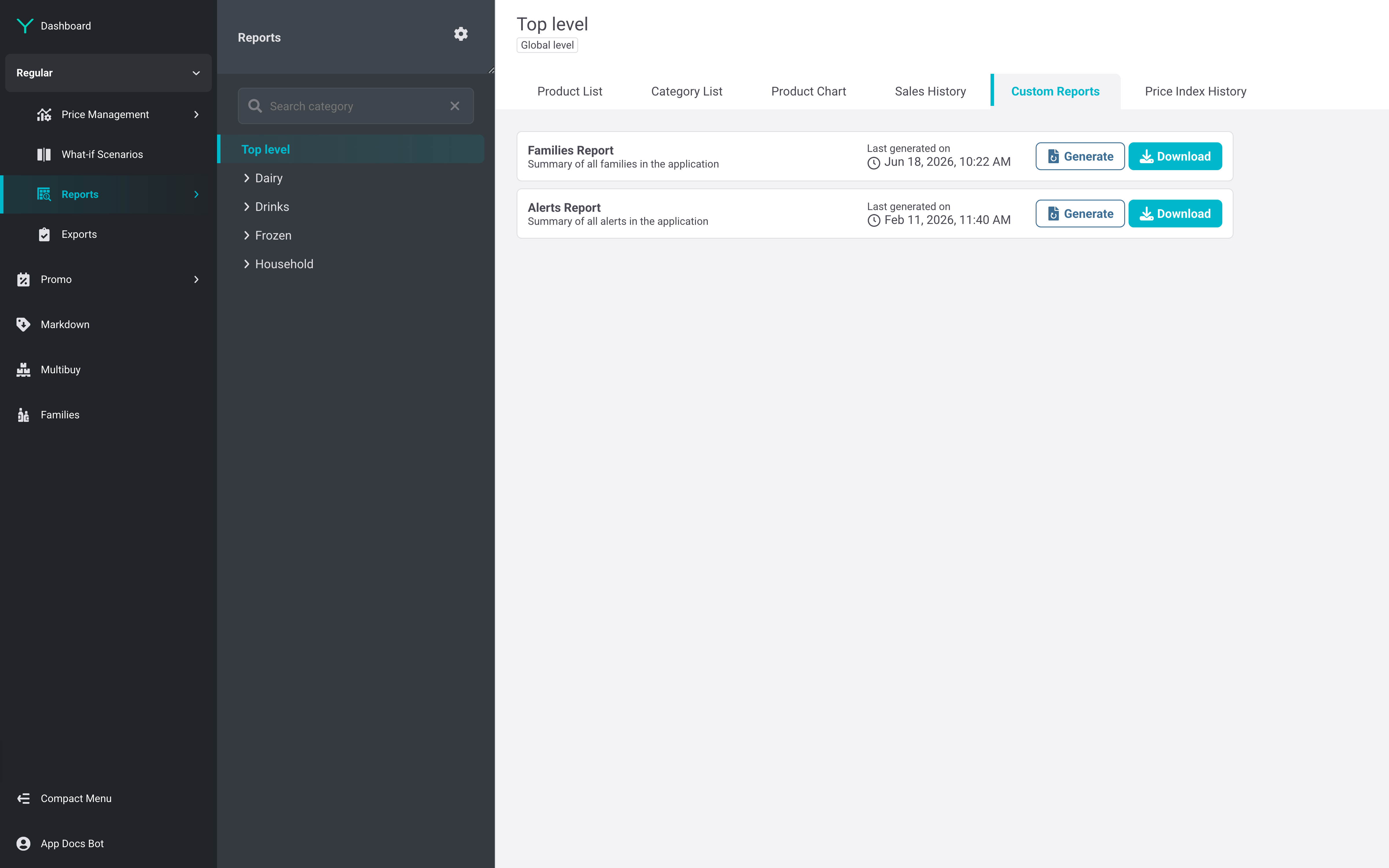
On the Custom Reports tab, select Generate for the FamiliesFamilies Report or Alerts Report, then select Download when the report is ready. Use the category tree to retain Top level coverage or switch to a category before continuing your analysis.
Business Reason: The Families Report supports review of Family coverage, while the Alerts Report identifies products or families requiring attention before commercial issues affect performance.
Step 2: Review category sales mix and margin
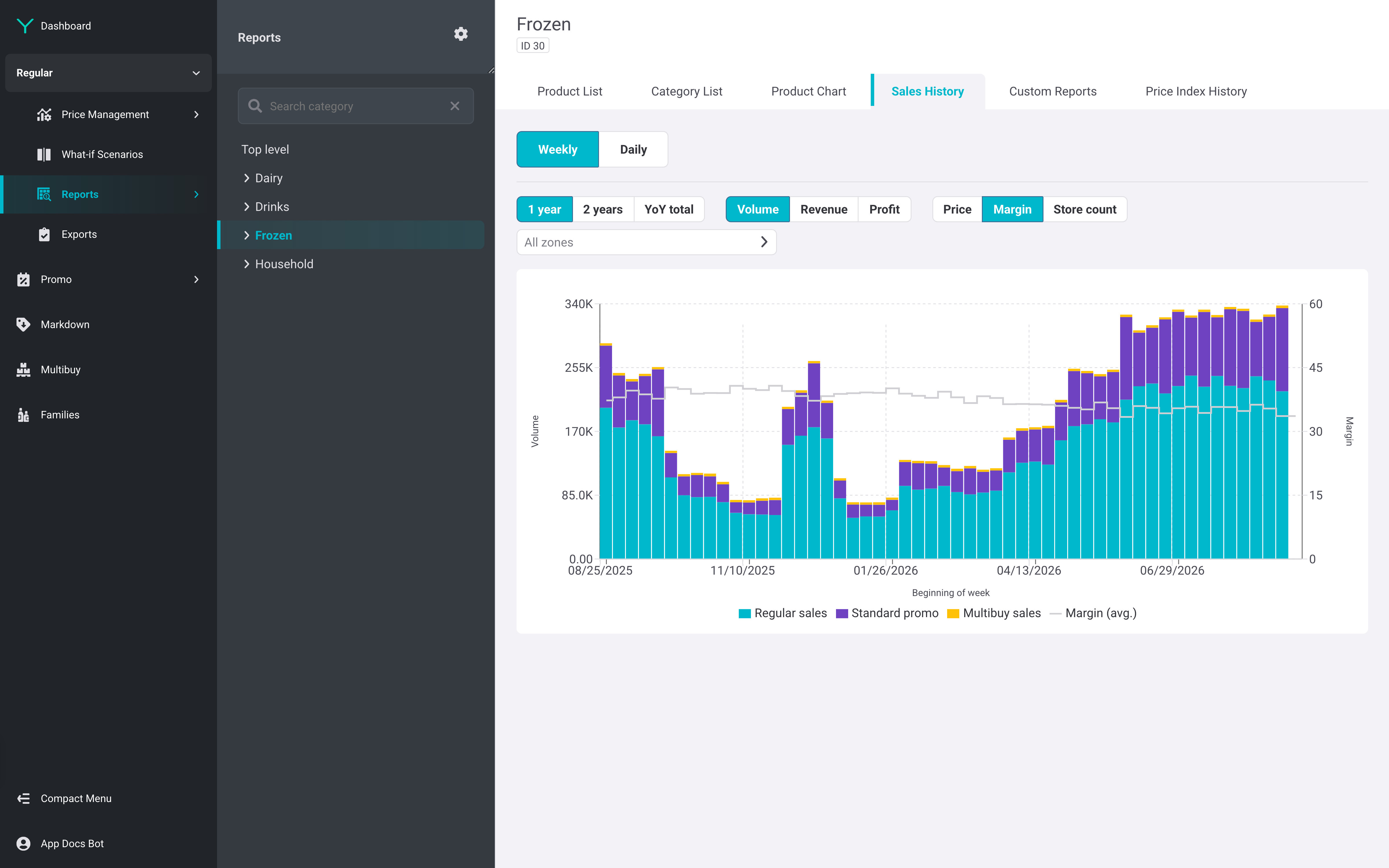
Open Sales History, choose Weekly or Daily, set the comparison period and KPI, then select a Zone if needed. Read the stacked bars as regular sales, standard promo, and Multibuy sales, and compare them with the average-margin line.
Business Reason: Sales History shows sales split by sales type with margin as a secondary metric, helping distinguish sustainable Regular price performance from promotion-led volume.
Step 3: Monitor market positioning over time
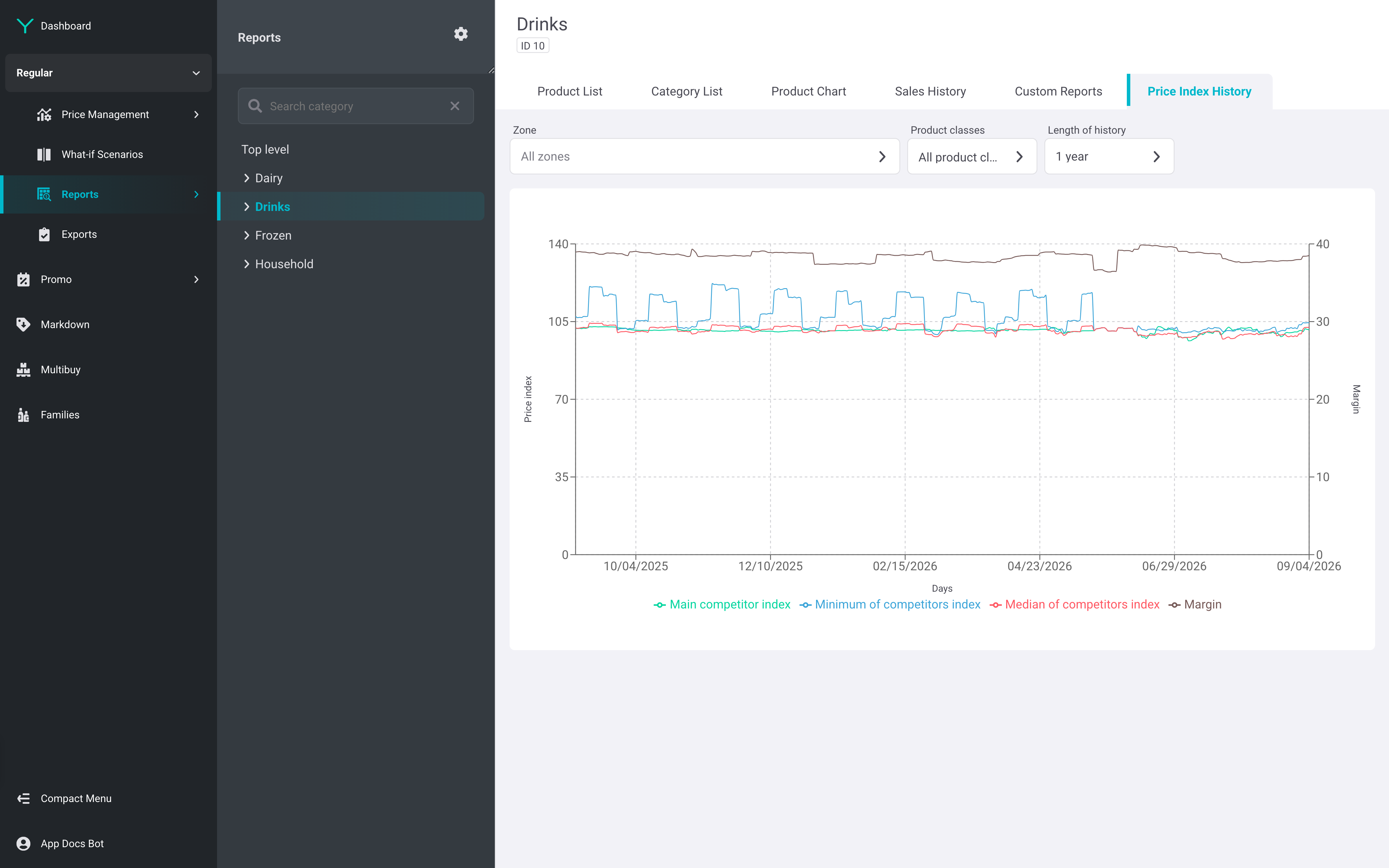
Open Price Index History for the selected category and set the Zone, product class, and length of history. Compare the Main competitor, minimum-of-competitors, and median-of-competitors indexes with the margin trend.
Business Reason: A Reference price index expresses our price as a percentage of the Reference price; tracking it with margin highlights whether market positioning changes are commercially acceptable.
Step 4: Inspect an article's promotion exposure
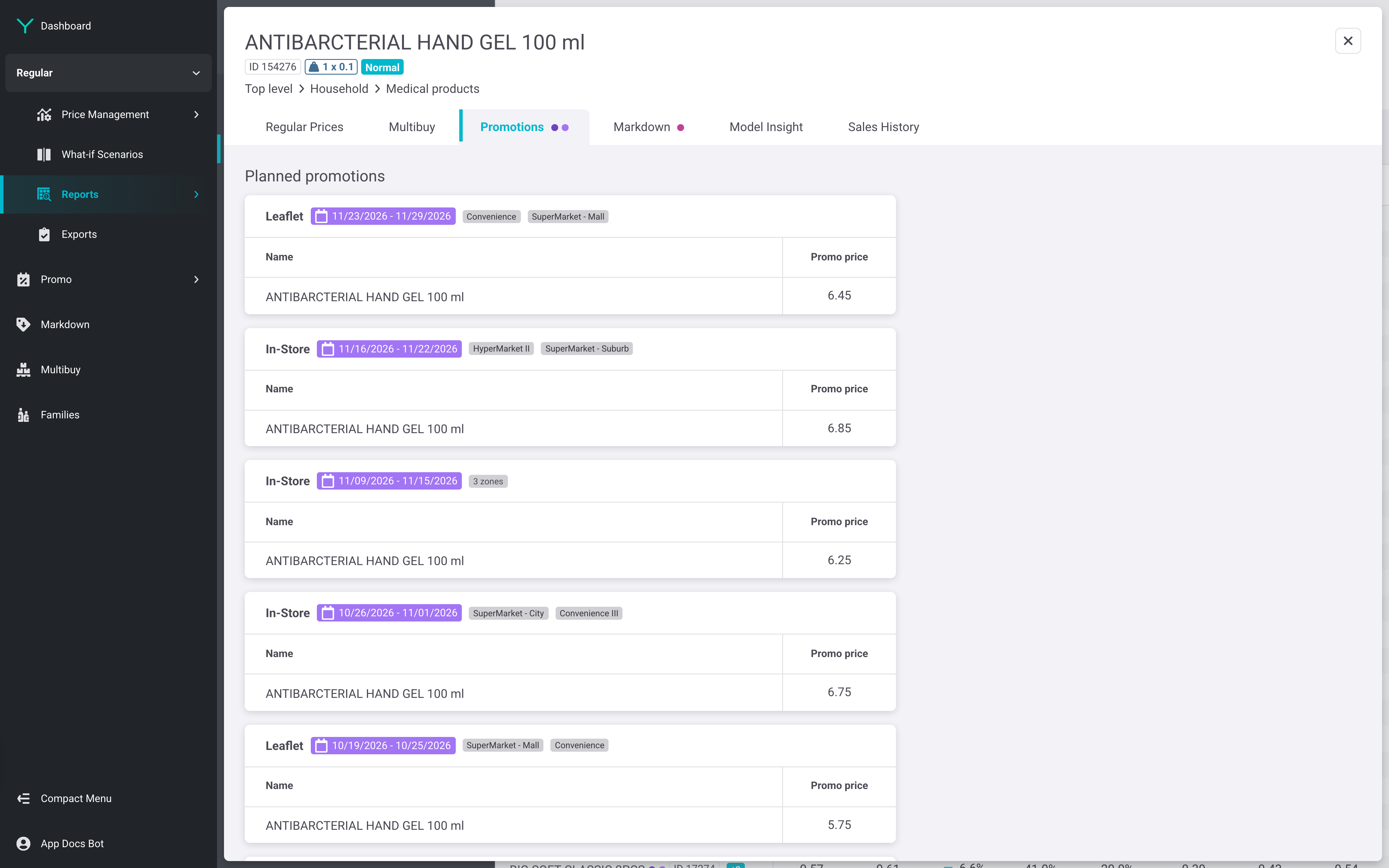
Open the required product record and select Promotions. Review each planned promotion's dates, applicable Zones, and Promo price to understand the product's upcoming special-pricing exposure.
Business Reason: A Promo price is active for a defined window; reviewing it by article prevents promotion plans from being mistaken for Regular price performance.
Step 5: Assess markdown execution by site
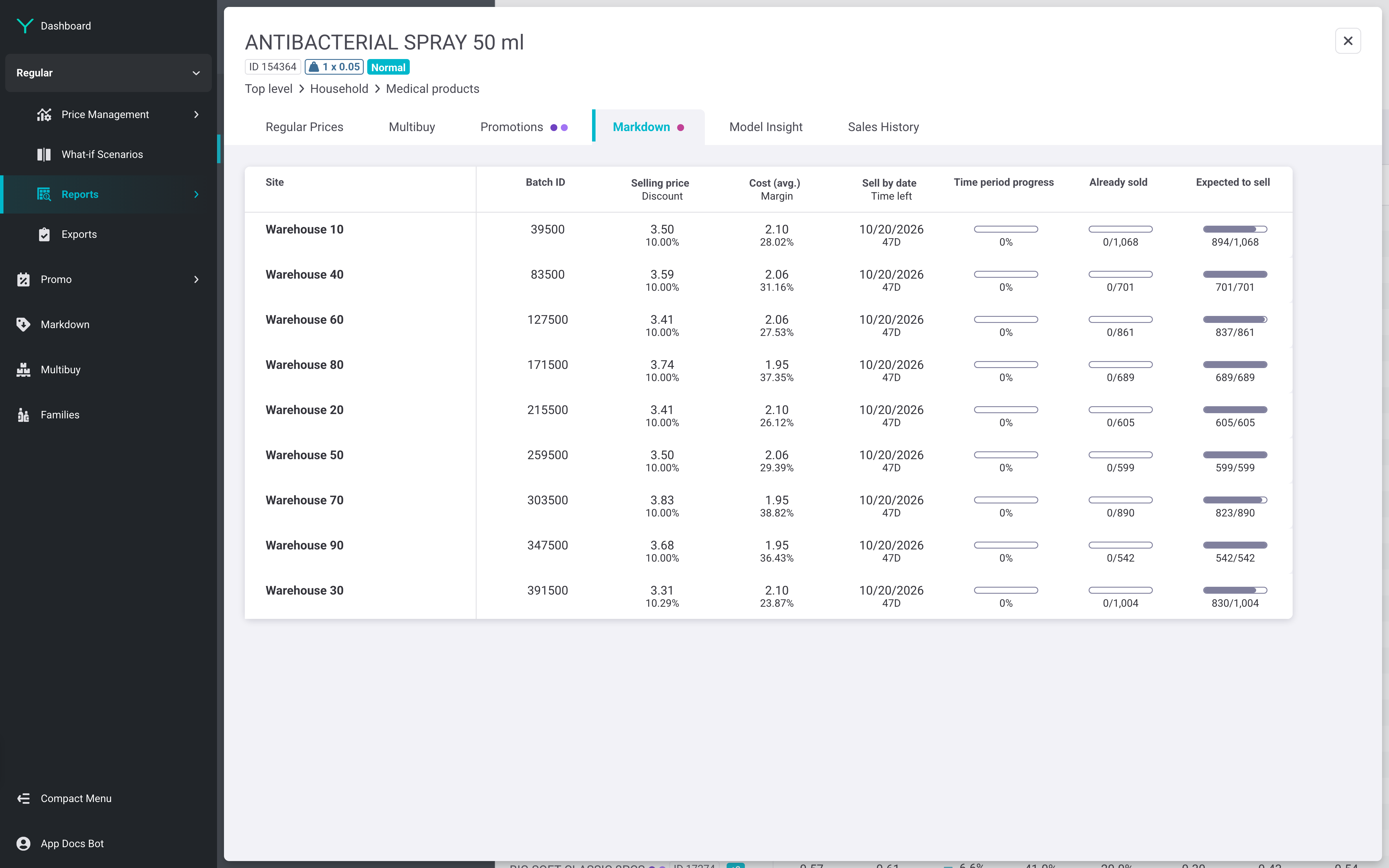
For a product with markdown activity, select the MarkdownMarkdown tab and compare selling price, cost, margin, sell-by date, progress, already sold, and expected-to-sell figures across sites. Prioritize sites where expected sales lag the remaining stock or time available.
Business Reason: Site-level review exposes uneven clearance progress and supports timely operational intervention while protecting margin where possible.
You're done when
- You have downloaded current Families Report and/or Alerts Report outputs for follow-up.
- You can identify whether category performance is driven by regular sales, standard promo, or Multibuy sales and how margin changes over time.
- You can explain the selected category's Reference price index trend by Zone or product class.
- You have identified article-level promotion or markdown activity requiring a pricing or operational review.
Pro Tips
- Start with the aggregated view, then isolate a Zone when the category result masks local differences.
- Investigate alerts and product-level promotion activity before changing a Price Rule or setting a Manual price.