Multibuy Pricing
Multibuy Pricing
Description
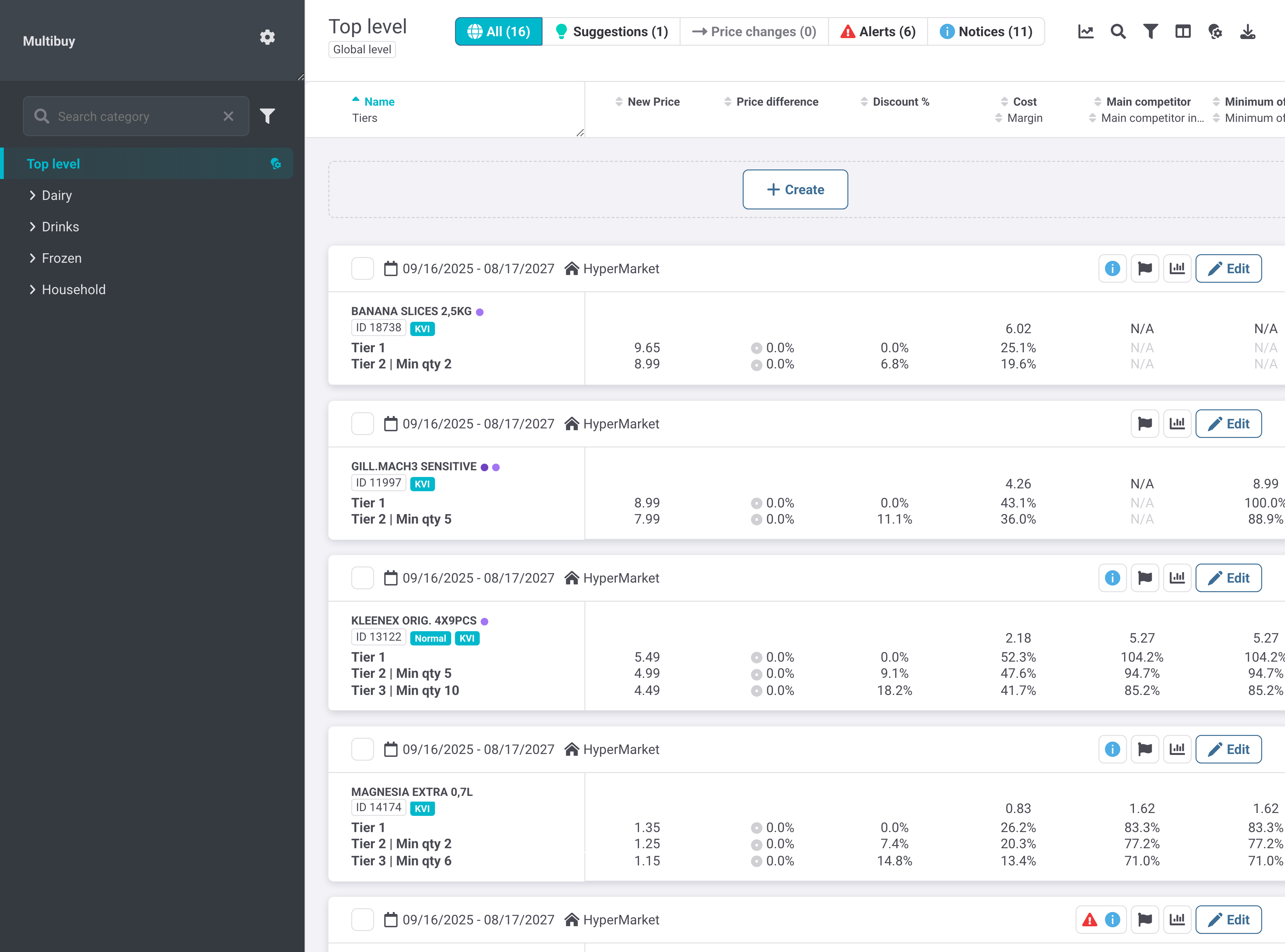
Enables controlled Multibuy offers that reward customers for buying multiple units of the same or related products. Pricing Managers define a base price and discounted quantity tiers, then review tier-level margin, market positioning, sales contribution, suggestions, and exceptions before the offer takes effect.
Sub-parts & Functions
Multibuy Offer List
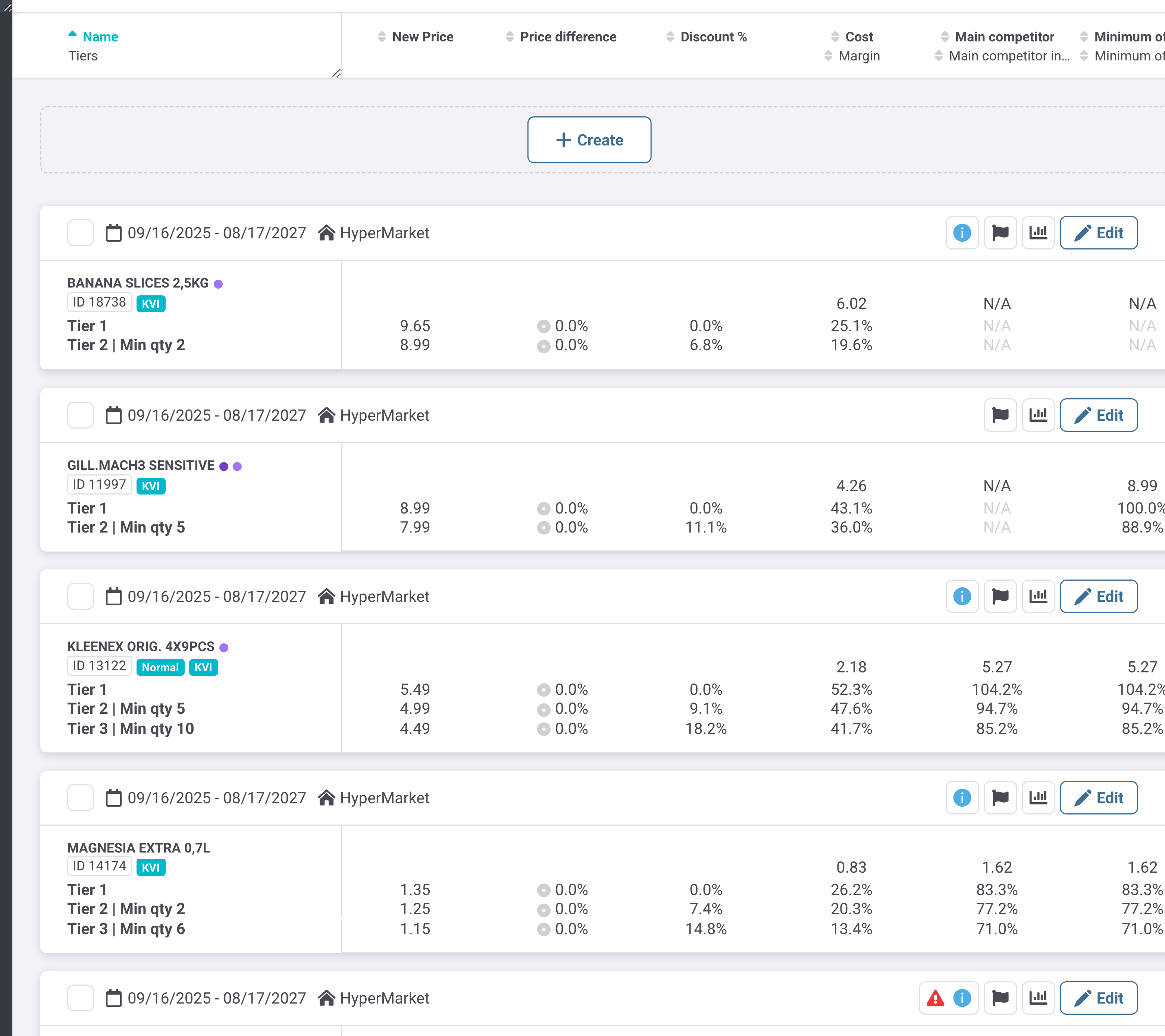
Displays Multibuy offers in the selected category and Zone, with a base tier and each discounted tier shown together. The New Price, price difference, discount, cost/margin, and competitor-index columns support tier-by-tier commercial review; Volume 30d, Revenue 30d, and Profit 30d use the most recent 30 days, or the full available validity period for newer offers.
Key Elements:
- Tiers — shows the base tier and each minimum-quantity threshold that activates a discounted price
- New Price — shows the configured price for each tier
- Cost/Margin — supports profitability review at the tier level
- Main competitor and Minimum competitor — show Reference price index positioning for each tier
- Volume 30d, Revenue 30d, Profit 30d shares — show each tier's contribution over a consistent recent period
Create Multibuy Prices
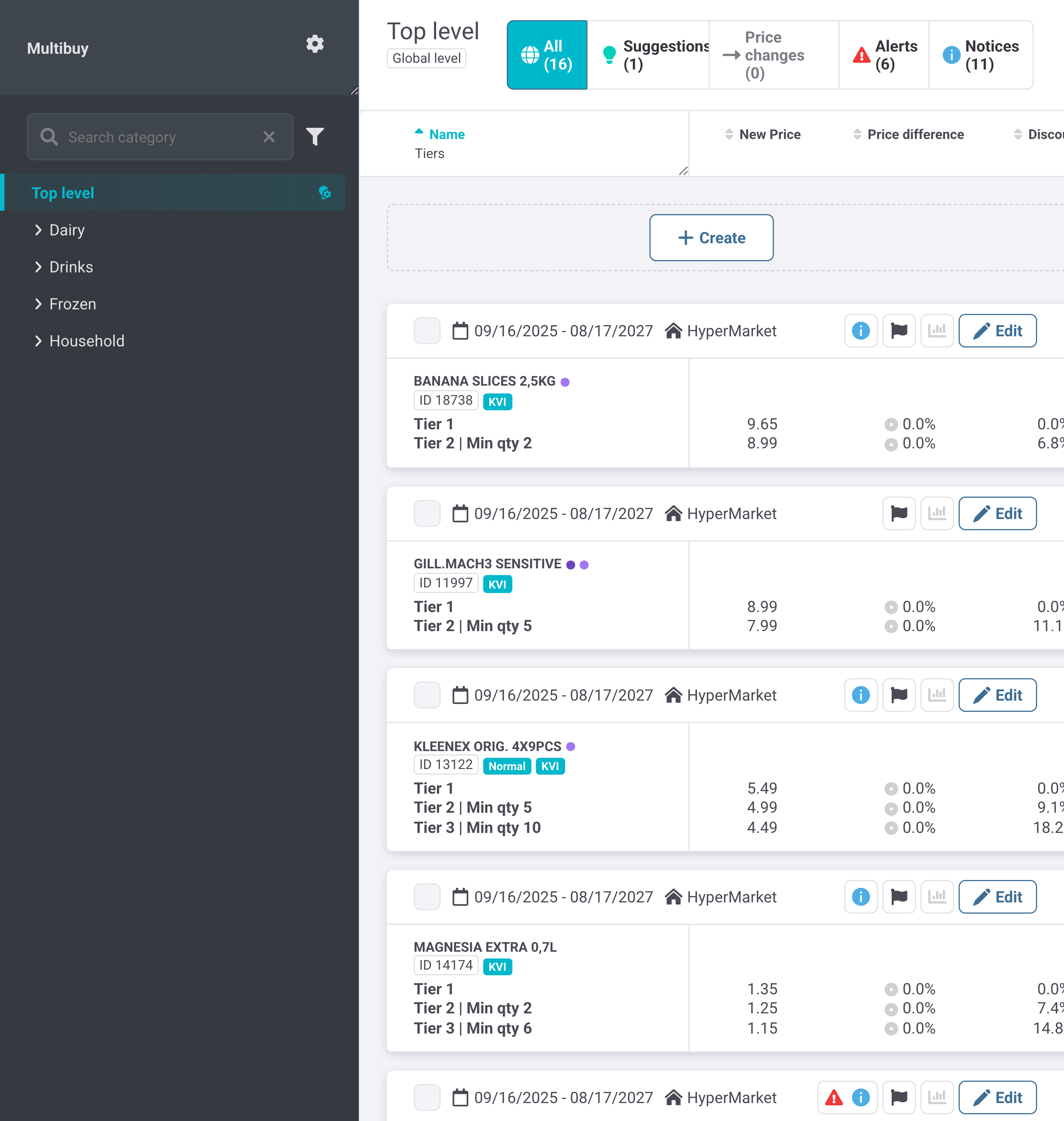
Creates an offer by assigning products, a required base price, and one or more discounted tiers. Each tier pairs a minimum basket quantity with a Tier price, while the required Zone scope and optional validity end date determine where and for how long the offer applies.
Key Elements:
- Products — required selection of products covered by the Multibuy offer
- Base price — required Tier 1 price before any quantity discount applies
- Expected cost — captures the expected cost used when reviewing tier margin
- Definition type — defines how discounted-tier values are interpreted; the shown mode is Tier price
- Min qty — minimum units in one basket required to activate the tier
- Value — price applied when the tier's minimum quantity is reached
- Zones — required scope that determines the store groups receiving the offer
- Valid until — optional end date for the Multibuy offer
- Note — optional audit context limited to 120 characters
Define Multibuy Offer Terms
Allows the base price, tier thresholds, tier values, Zone scope, validity, and note to be revised for an existing offer. Changes are applied in the next period, so the effective date range must be checked when adjusting an active configuration.
Key Elements:
- Base price — revises the Tier 1 price
- Discounted Tiers — adds, changes, or removes quantity-price thresholds
- Zones — limits the edited offer to selected store groups
- Valid until — controls the end of the offer's applicability
- Note — records the reason or operating context within 120 characters
Suggestions
Separates proposed tier-price or tier-quantity changes for focused review. Suggestions can be generated from prioritized suggestion rules and may address negative margin, prices outside suggestion rules, a tier limit that is too low, or Family price unification; green highlighting identifies proposed values.
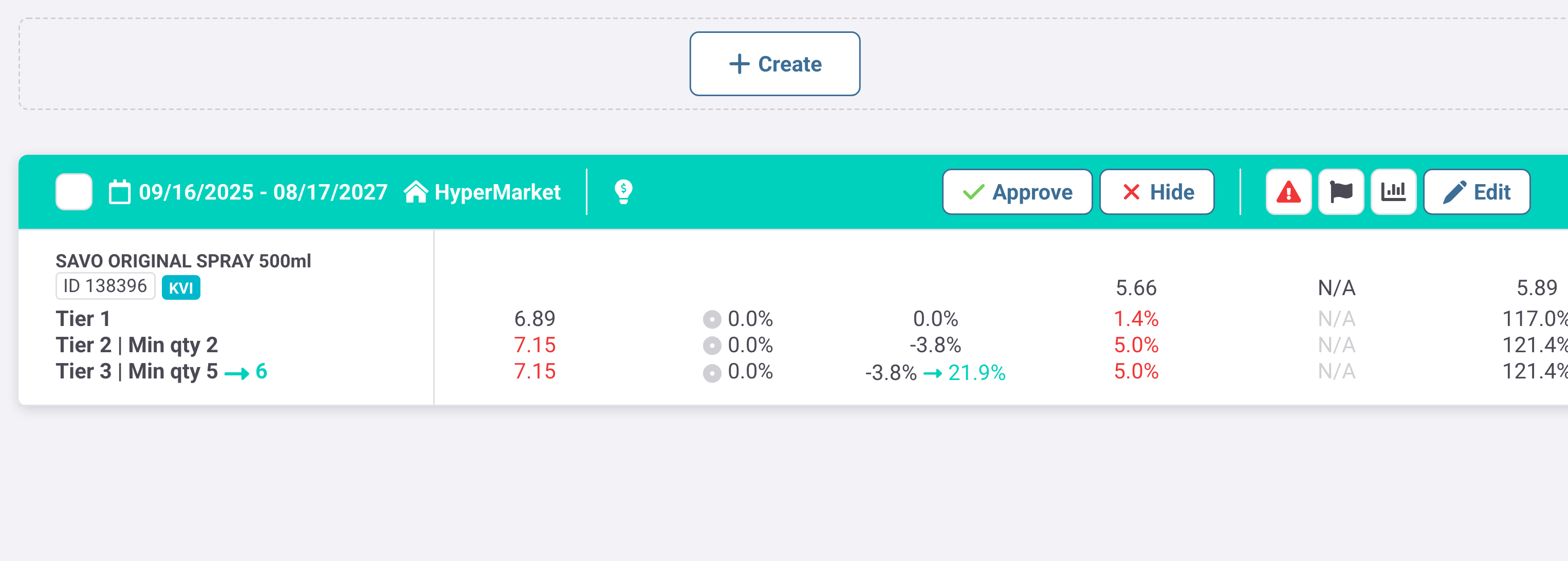
Key Elements:
- Approve — accepts the proposed Multibuy configuration
- Hide — removes a suggestion from the working queue without approving it
- Suggested tier value or quantity — identifies the proposed price or threshold change for review
Alerts
Focuses review on Multibuy offers with data or commercial exceptions. Alert investigation is especially important for uneven sales across tiers, abnormally low or negative margin on the current selling price, inactive products, and missing same-size Family members from the offer.
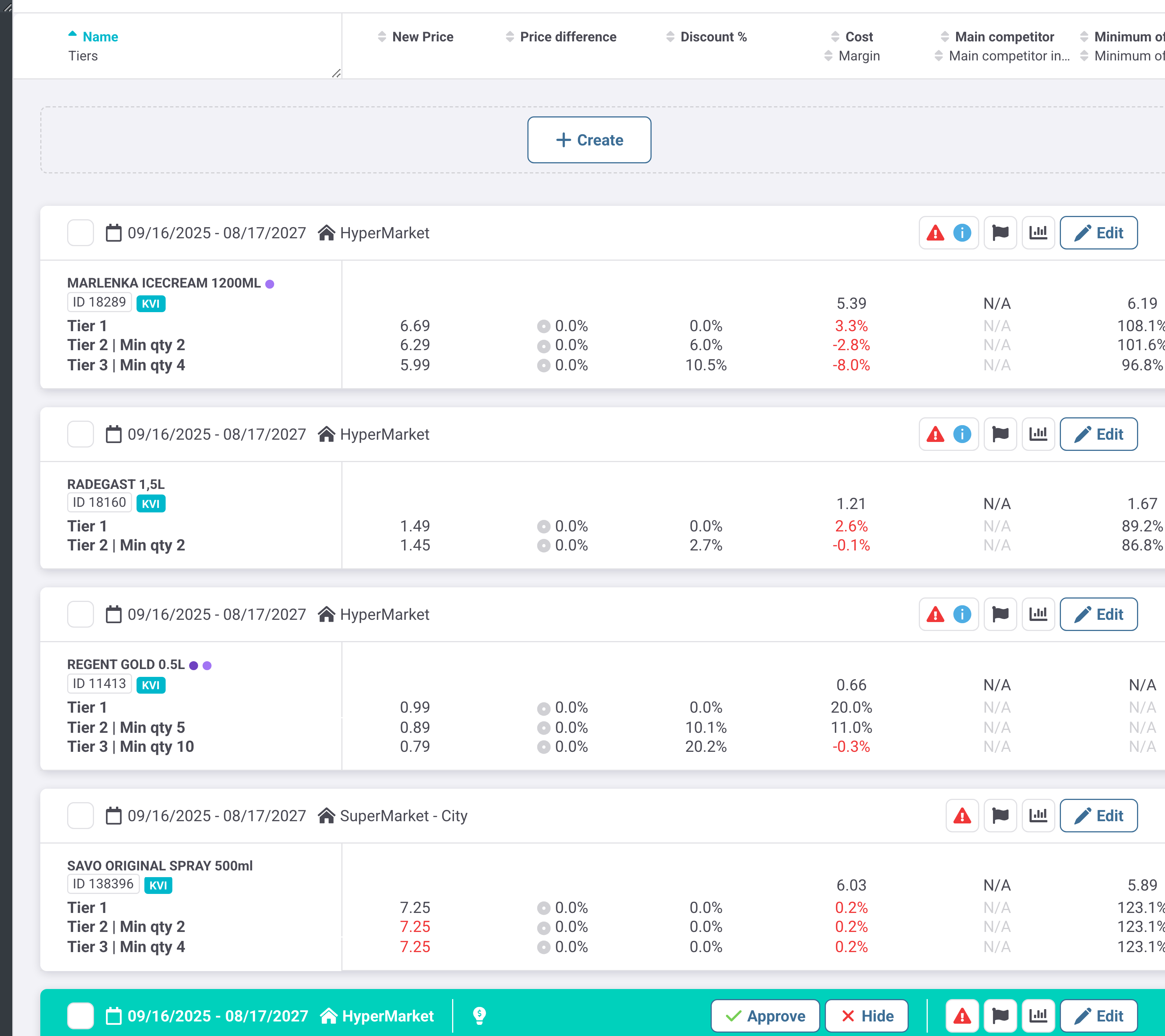
Key Elements:
- Alert count — shows the number of offers requiring attention in the selected scope
- Tier margin values — expose loss-making or unusually low-margin tiers for correction
Notices
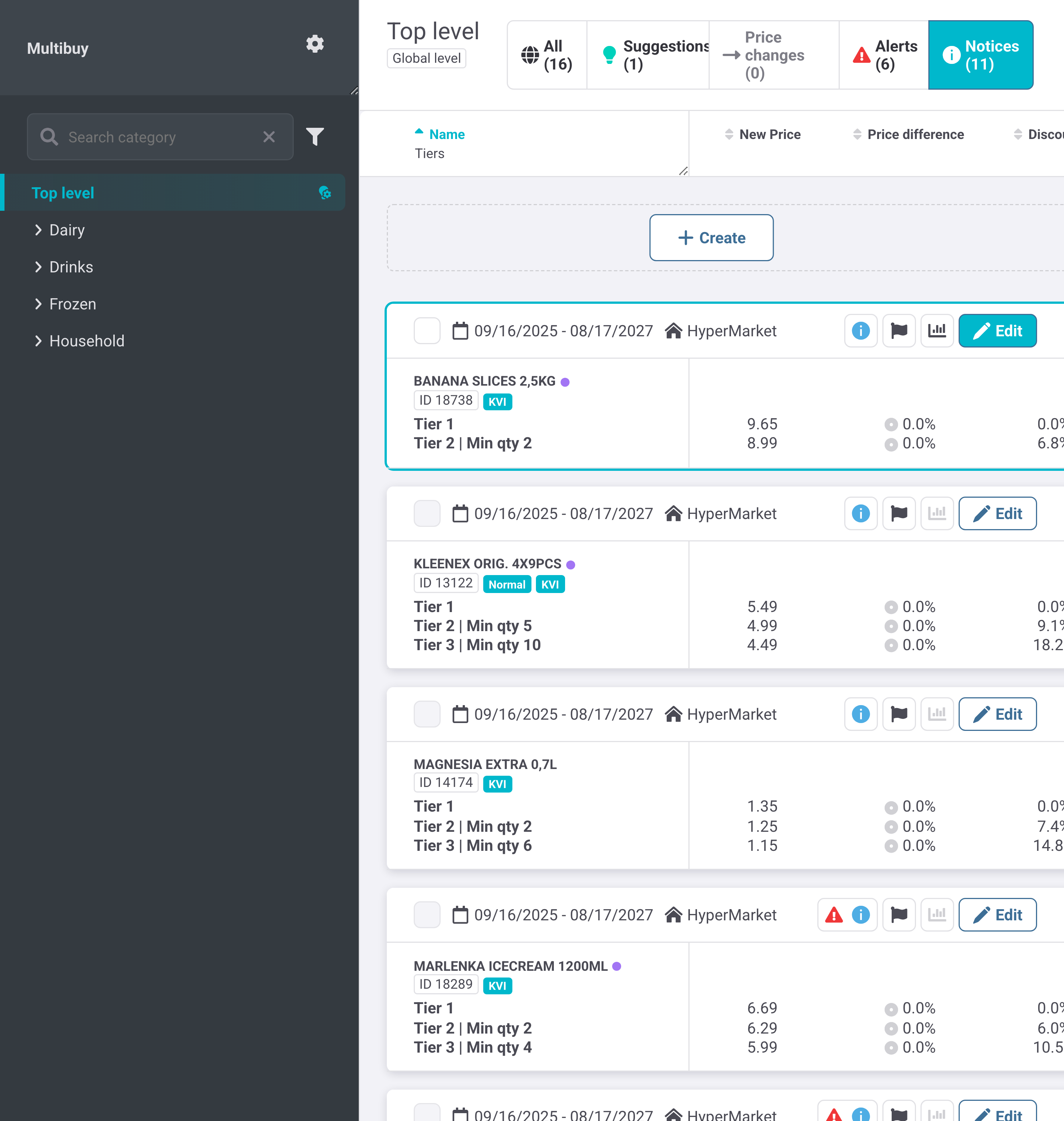
Provides a separate queue of Multibuy notifications while retaining the complete tier and commercial context for each offer. Use it to inspect informational flags alongside the active validity, Zone, tier prices, discounts, and margin signals before deciding whether an edit is needed.
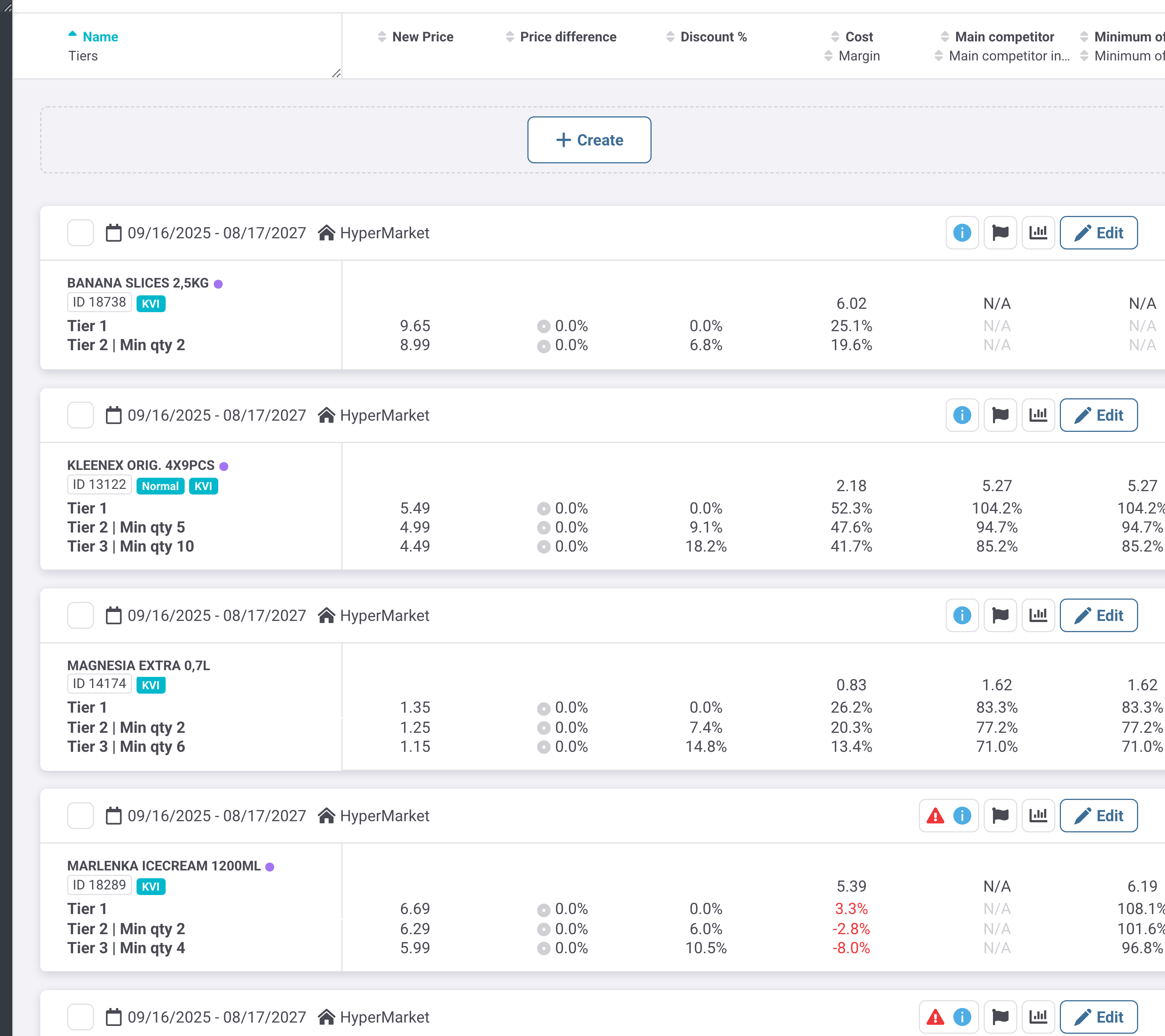
Key Elements:
- Notice count — shows the number of informational items in the selected category scope
- Offer validity and Zone — identify where and when the notified configuration applies
Connections & Integrations
Offers are scoped by Zone, so the same product can carry different Multibuy configurations across store groups. Family price unification can generate Multibuy suggestions, and Quantity in basket analysis is used to select thresholds near natural demand breakpoints. In Promo PlannerPromo Planner, Multibuy is also a Mechanic; products using N+1 or Multibuy do not support Promo Simulator and should instead be evaluated with Quantity in basket data.
Key Actions
- Browse Multibuy offers by category and review each base and discounted tier.
- Create a tiered offer for selected products and Zones.
- Set minimum basket quantities and their corresponding Tier prices.
- Review 30-day tier sales, revenue, and profit shares to assess whether the offer changes purchasing behavior.
- Approve or hide a Multibuy suggestion.
- Investigate alerts and amend loss-making, uneven, or incomplete offers.
- Edit validity, Zone coverage, prices, or thresholds for an existing offer.
Best Practices & Success Stories
- Tiered offers can encourage larger baskets while preserving visibility of margin and competitive positioning at every threshold.
- Recent 30-day performance shares make offers with different histories more comparable.
- Suggestion rules help identify inconsistent quantities, prices, margins, and Family coverage for faster review.
Important Considerations
- Choose minimum quantities near natural Quantity in basket breakpoints rather than arbitrary thresholds.
- Review alerts for negative or abnormally low margin before approving or retaining an offer.
- A Multibuy tier price cannot be higher than the Base price.
- Changes to an active Multibuy configuration are applied in the next period.
- Use tier-level Volume 30d, Revenue 30d, and Profit 30d shares to verify that the discount is influencing basket behavior.
- Approving or saving tiers with insufficient margin review can create loss-making selling prices.
- Removing a discounted tier from an active configuration can eliminate the corresponding quantity incentive after the change takes effect.
- Applying an offer to unintended Zones can expose incorrect Multibuy prices to the wrong store groups.
Related modules
- Promo PlannerPromo Planner